


nun69
New member
difference in these 2 LO's as far as the shadows go?
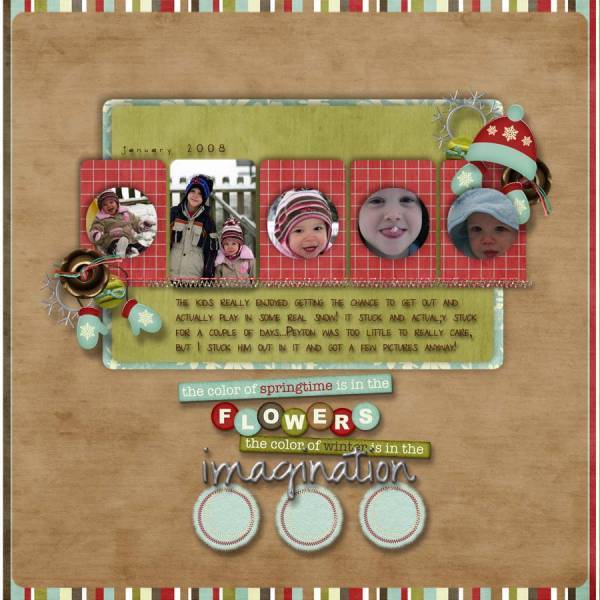
this one I downsized to 600x600 and uploaded here...
this one was regular size {full size} that I uploaded at another site...

to me the shadows are WAYYYYYY off in the upload here and it is BUGGING me!!!!! I am using Adobe Photoshop 6.0 {cause my CS2 crashed and I am still working on getting it back on my laptop}...can somebody tell me how to save the smaller version so that it looks like the full version when I upload? there has to be a way for me to save it so it still looks like the original when I upload the smaller version! TIA for anyone that can help me!!!! hope I didn't confuse anyone!
this one I downsized to 600x600 and uploaded here...
this one was regular size {full size} that I uploaded at another site...
to me the shadows are WAYYYYYY off in the upload here and it is BUGGING me!!!!! I am using Adobe Photoshop 6.0 {cause my CS2 crashed and I am still working on getting it back on my laptop}...can somebody tell me how to save the smaller version so that it looks like the full version when I upload? there has to be a way for me to save it so it still looks like the original when I upload the smaller version! TIA for anyone that can help me!!!! hope I didn't confuse anyone!
Last edited:


