g8rbeckie
New member
Hey girls!
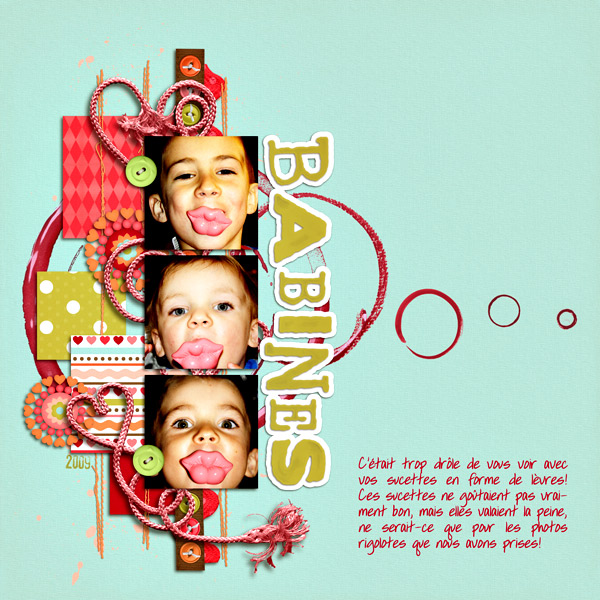
When I was finishing up my LO last night, i decided to throw on a few pieces of scotch tape from KCB's Artist's Canvas kit. I added a simple drop shadow to the tape, hoping it would be subtle and realistic, but it didn't look right at all.
Then I used the eraser tool at 50% opacity and started erasing my tape layer. I realized that where I erased it was starting to create that effect of part of the tape being pushed down really well and some of it being a bit looser (you know how that matte finish scotch tape looks?)
Anyhow - I liked it so much that I just used the eraser down the center of the tape and a few spots along the edge and voila - I think it was a pretty cool tape effect!
If you guys already knew this - why didn't anyone tell me before?! LOL!
EDIT: here's the closeup:

So - what technique have you learned/discovered recently? Share it here so the rest of us can benefit!! :thumbup:
When I was finishing up my LO last night, i decided to throw on a few pieces of scotch tape from KCB's Artist's Canvas kit. I added a simple drop shadow to the tape, hoping it would be subtle and realistic, but it didn't look right at all.
Then I used the eraser tool at 50% opacity and started erasing my tape layer. I realized that where I erased it was starting to create that effect of part of the tape being pushed down really well and some of it being a bit looser (you know how that matte finish scotch tape looks?)
Anyhow - I liked it so much that I just used the eraser down the center of the tape and a few spots along the edge and voila - I think it was a pretty cool tape effect!
If you guys already knew this - why didn't anyone tell me before?! LOL!
EDIT: here's the closeup:
So - what technique have you learned/discovered recently? Share it here so the rest of us can benefit!! :thumbup:
Last edited: