


mommyrn
New member
Note to all...never use the VERY FIRST attempt at a hybrid as a gift you intend to give in less than 24 hours. I planned to make an adorable altered composition book, recipe cards and clipboard for a gift exchange for a committee I'm on.
Composition book is done...it's so so, but my printer colors are nowhere near as rich and vibrant as the kit looks on screen. There's a few air bubbles too. Not really the simple "wow" that I was looking for.
Notecards are cute...I've done them a million times though, so no biggie there.
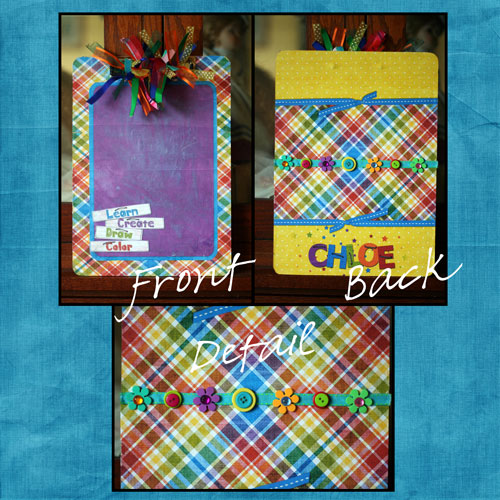
But the clipboard? My printer decided to run out of ink, so the two pages are totally different colors. I cannot for the life of me figure out how you get around the actual clip, and I am too tired to deal with it.
Guess I'll stick the notebook and cards in the bag, but will have to stop at Walgreens on my way to the meeting to pick up another little something.
Poops. So...any tips? And why does my printer use ink so stinking fast? 5 color pages? Really????
Composition book is done...it's so so, but my printer colors are nowhere near as rich and vibrant as the kit looks on screen. There's a few air bubbles too. Not really the simple "wow" that I was looking for.
Notecards are cute...I've done them a million times though, so no biggie there.
But the clipboard? My printer decided to run out of ink, so the two pages are totally different colors. I cannot for the life of me figure out how you get around the actual clip, and I am too tired to deal with it.
Guess I'll stick the notebook and cards in the bag, but will have to stop at Walgreens on my way to the meeting to pick up another little something.
Poops. So...any tips? And why does my printer use ink so stinking fast? 5 color pages? Really????



 I have made cards with the tri-fold paper though and they turn out nicely. They are kind of cute when cut in half--so they end up being 4.25" opening up to 11.5"(about 3.8" per tri-fold).